Serving Texas + Nationwide

EDUCATOR TRAINING

Help educators feel confident with the technology they are teaching.
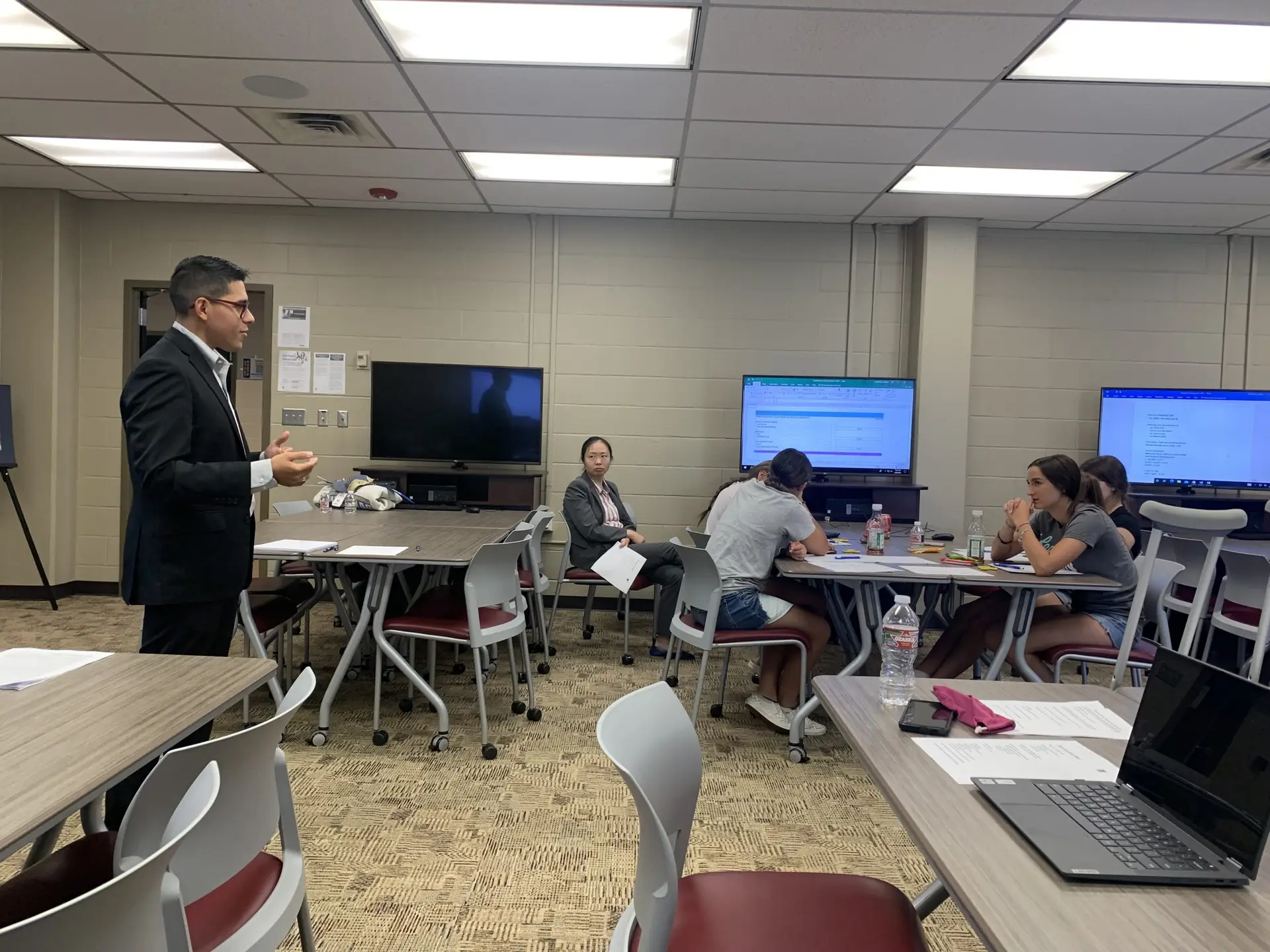
Our educator training gives teachers and program staff hands-on experience with cybersecurity, networking, Windows environments, cloud infrastructure, security tools, and classroom labs so they can better support students and technical programs.

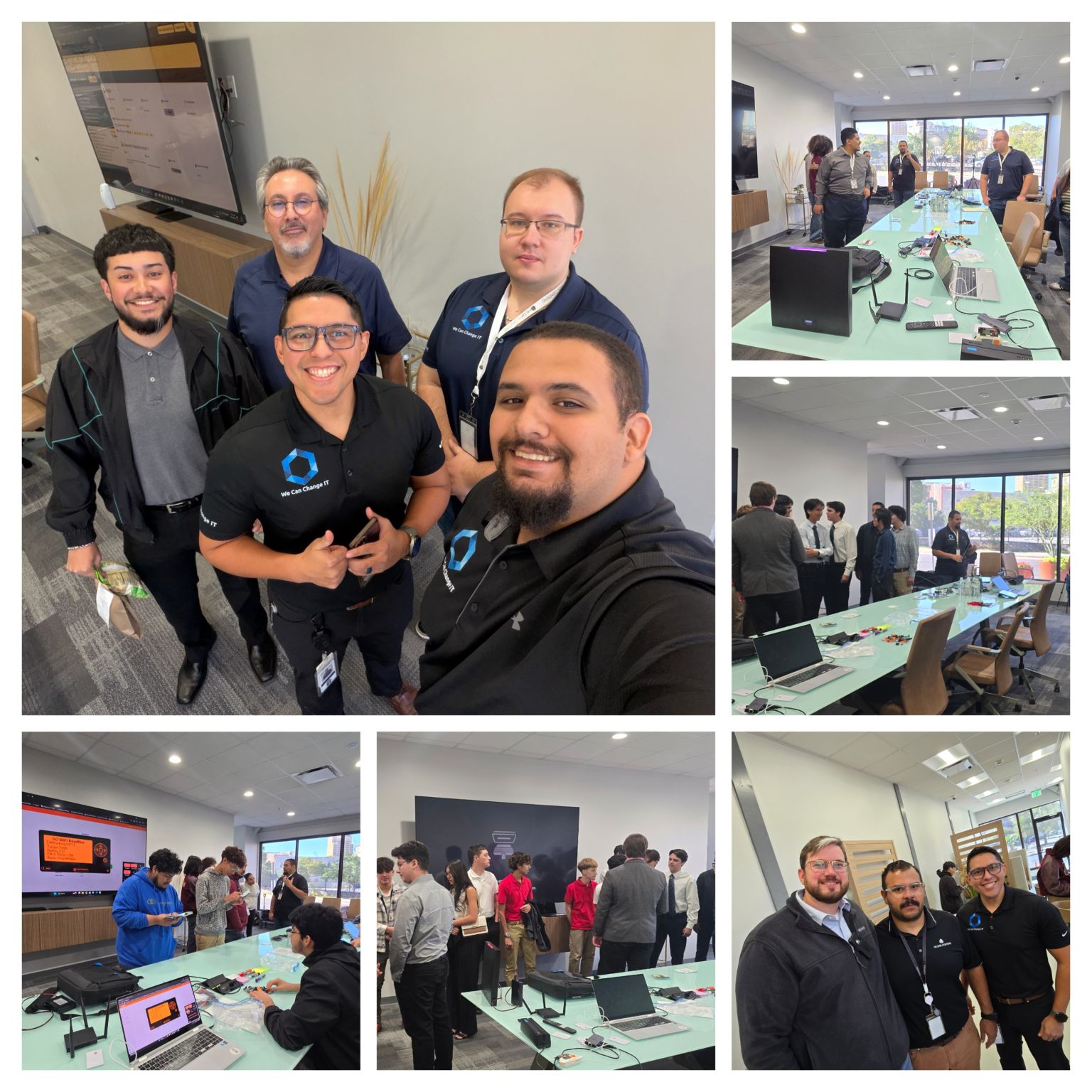
We Can Change IT educator training session with hands-on technology instruction in a classroom environment.

Technology changes quickly. Educators should have room to learn too.


Teaching cybersecurity and IT can require familiarity with systems, tools, and workflows that continue to evolve. Hands-on educator training creates space to explore those environments without the pressure of having students waiting for the answer.

Build Confidence

Practice technical concepts in a safe learning environment.

Understand the Lab

Learn how the systems, tools, and classroom environments work together.

Connect to Careers

Understand how classroom concepts appear in real cybersecurity and IT roles.

TRAINING AREAS

Topics built around the classroom environment.


Cybersecurity Foundations

Threats, vulnerabilities, identity, access, endpoint security, risk, and defensive concepts.

Networking

IP addressing, DNS, DHCP, routing, segmentation, connectivity, and troubleshooting.

Windows Environments

Active Directory, users, groups, permissions, and system administration.

Cloud Infrastructure

Virtualization, cloud services, and hybrid environments.

Security Tools

SIEM, endpoint protection, and network monitoring.

Classroom Labs

Setup, management, and student support.

Windows Environments

Understand the core infrastructure that powers many technical programs.


Active Directory

Manage users, groups, and organizational units efficiently within centralized domain controllers.

Permissions

Configure NTFS and share permissions to support appropriate access controls and verify that intended users can reach the right resources.

System Administration

Grasp basic server management, roles installation, features configuration, and event tracking.

Troubleshooting

Diagnose common Windows environment issues including network, registry, and system startup failures.

Practical Troubleshooting Framework

Knowing what to do when the lab does not work is part of the training.

The goal is not to make educators infrastructure engineers. It is to give them enough understanding to recognize common issues, support students, and know when to escalate a problem.

1. DNS Problems

Recognize domain resolution failures when student VMs cannot locate the active directory controller, external patch repositories, or internal practice networks.

2. Connectivity

Identify offline virtual adapters, incorrect vSwitch bindings, or physical gateway blocks that prevent student setups from communicating with classroom components.

3. Authentication

Resolve locked training accounts, expired directory credentials, or multi-factor sync problems commonly encountered during initial classroom lab initialization.

4. Permissions

Diagnose local security policy overrides, admin context mismatches, and access restrictions that block active directory management tools or software configuration runs.

5. Virtual Machines

Address host resource starvation, reset frozen virtual machines, or trigger point-in-time system restores when complex operating configurations fail during lessons.

6. Security Tools

Differentiate between expected program operation alerts, misconfigured scanning endpoints, or over-aggressive rules running inside isolated security sandbox layers.

Understand what the tools are showing you.


Keep offensive tools framed around safe and authorized educational use.

Endpoint Security

Monitor real-time security alerts. Teach students how host protection software, antivirus policies, and local firewalls prevent unauthorized system takeovers.

SIEM

Demystify security information and event management. Give instructors the framework to teach alert prioritization, log aggregation, and real-time dashboard analytics.

Event Logs

Unlock the audit trail. Navigate authentication logs, failed system logins, process creations, and security event identifiers within Windows and Linux ecosystems.

Vulnerability Scanning

Identify security gaps safely. Learn how to scan target systems, isolate potential threat vectors, and run security assessments in structured sandboxes.

Network Tools

Inspect packet traffic and network topologies. Familiarize students with Wireshark analysis, port mapping, and DNS verification workflows.

Authorized Security Testing Tools

Introduce offensive concepts responsibly. Keep interactive software focused on defensive configuration, ethical scoping, and technical accountability.

WCCIT SANDBOX ENVIRONMENT

Practice before stepping into the classroom.

Educators can work inside dedicated practice environments to explore student workflows, complete labs, troubleshoot systems, and understand how instructor controls work before introducing the environment to a class.

Instructor View

Gain hands-on familiarity with the orchestration control panel, active student monitoring cards, and grading assessment triggers.

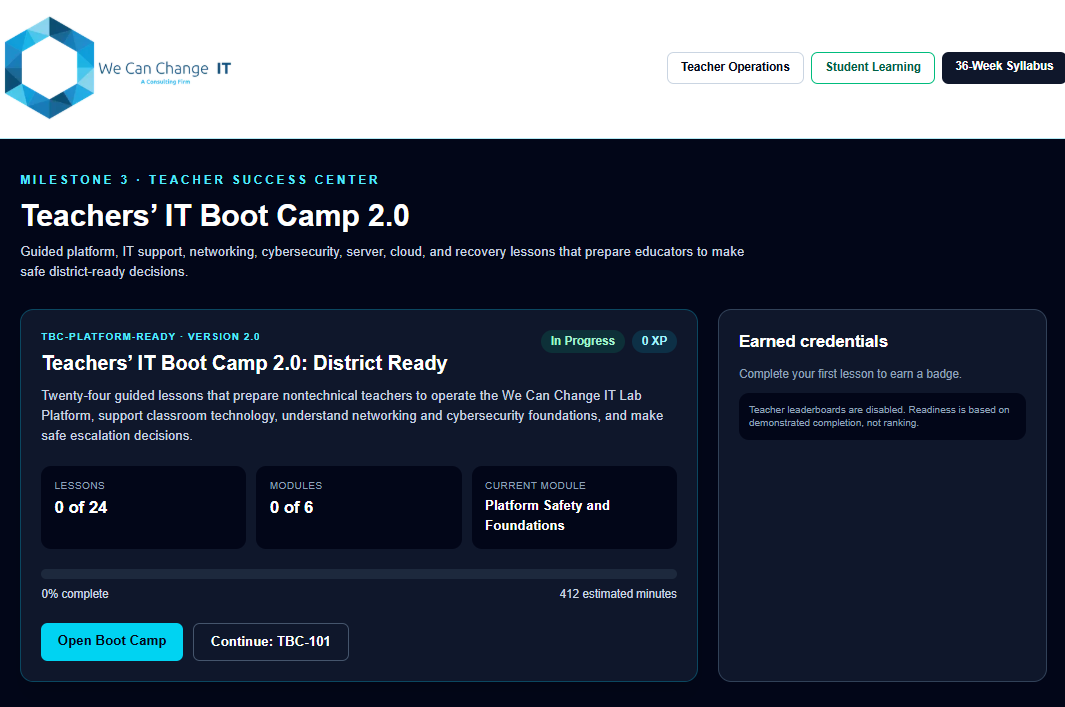
We Can Change IT Teacher Success Center showing the Teachers' IT Boot Camp 2.0, lesson progress, modules, and earned credentials.

Student View

Step into your student's digital shoes. Experience the virtual machines, terminal commands, and contextual guides as they will.

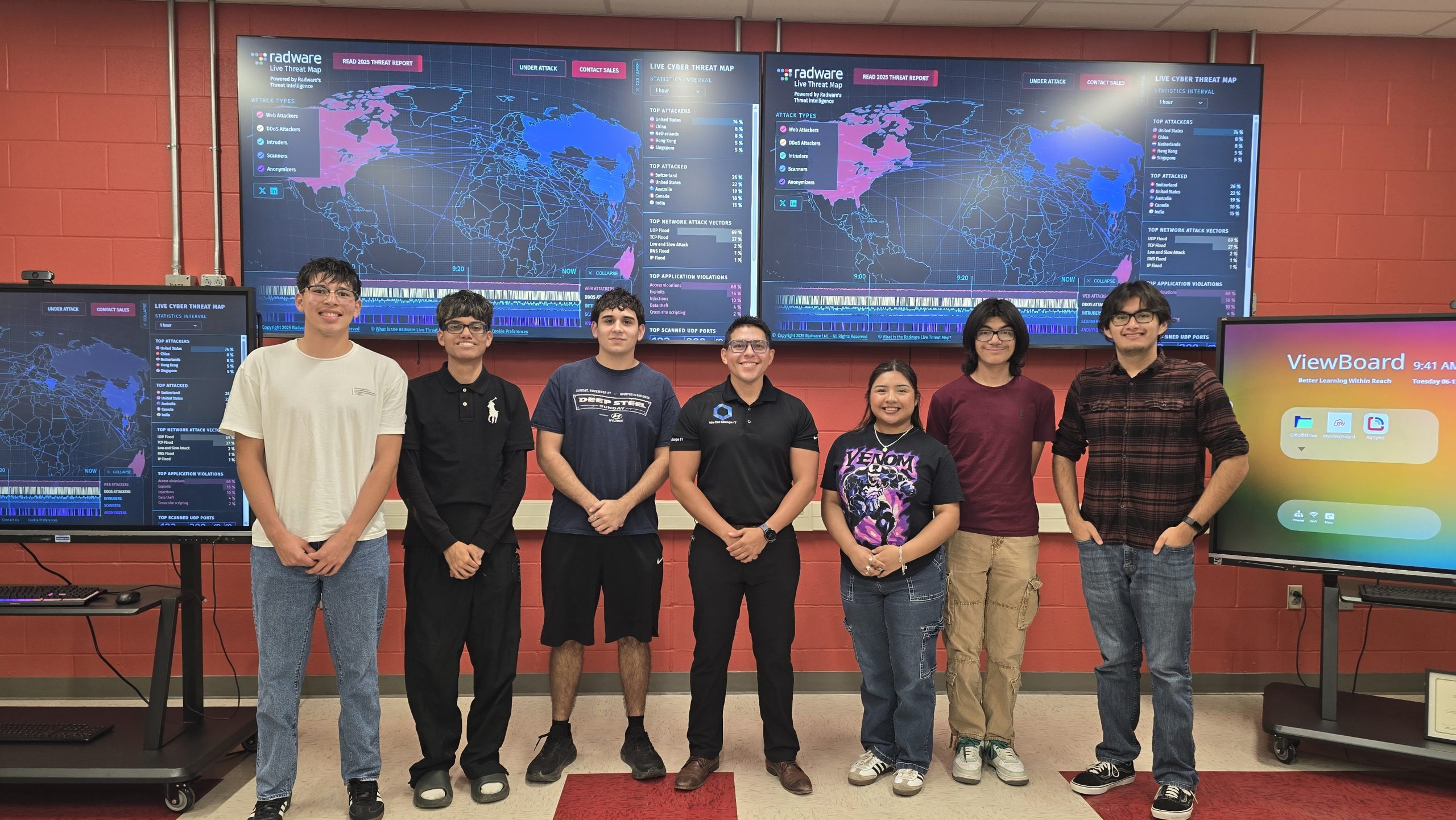
Students participating in a hands-on We Can Change IT cybersecurity lab activity using real technology.

Lab Setup

Initialize networking structures, active security domains, and boot cloud structures to verify initial states ahead of lesson sessions.

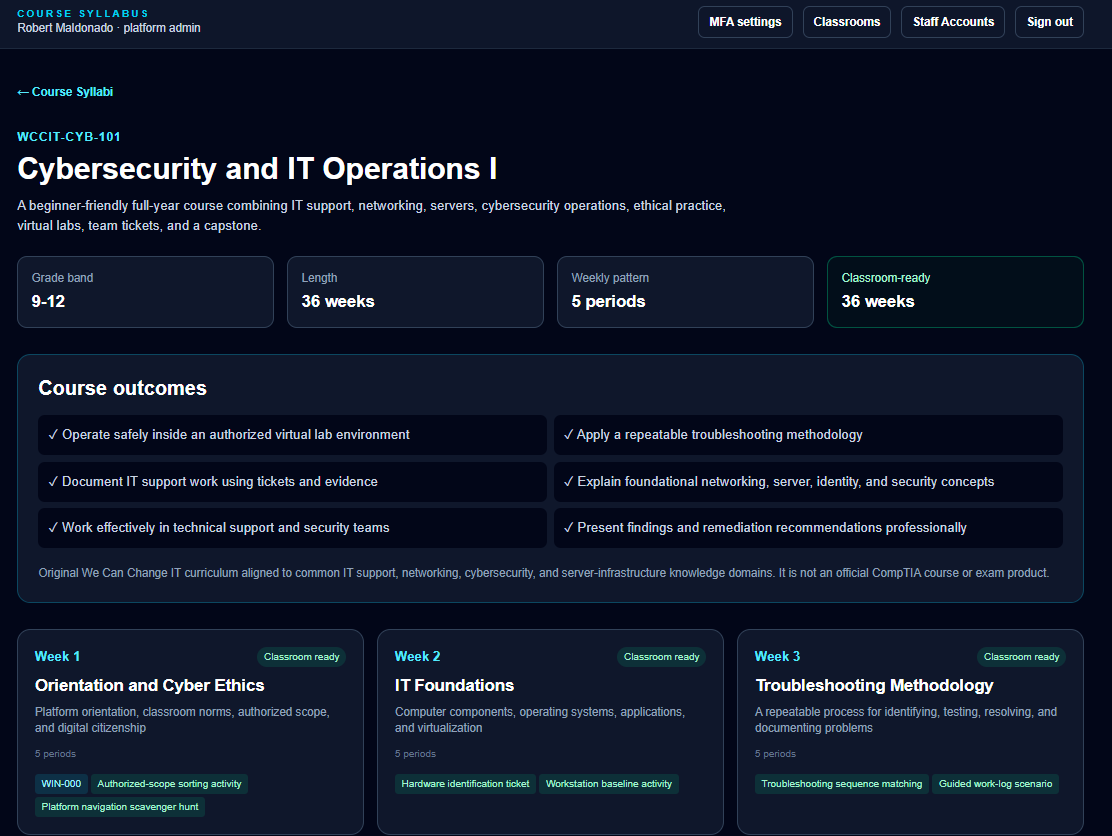
We Can Change IT Cybersecurity and IT Operations I course syllabus showing a 36-week curriculum, course outcomes, and weekly learning modules.

Reset & Recovery

Test system rollbacks and state resets to safely reverse complex VM modifications. Master the controls required to instantly recover stuck environments during live classes.

We Can Change IT educator training session with hands-on technology instruction.

Troubleshooting

Diagnose simulated system issues, domain controller permissions, and network blockages. Practice solving realistic laboratory hiccups before your students run into them.

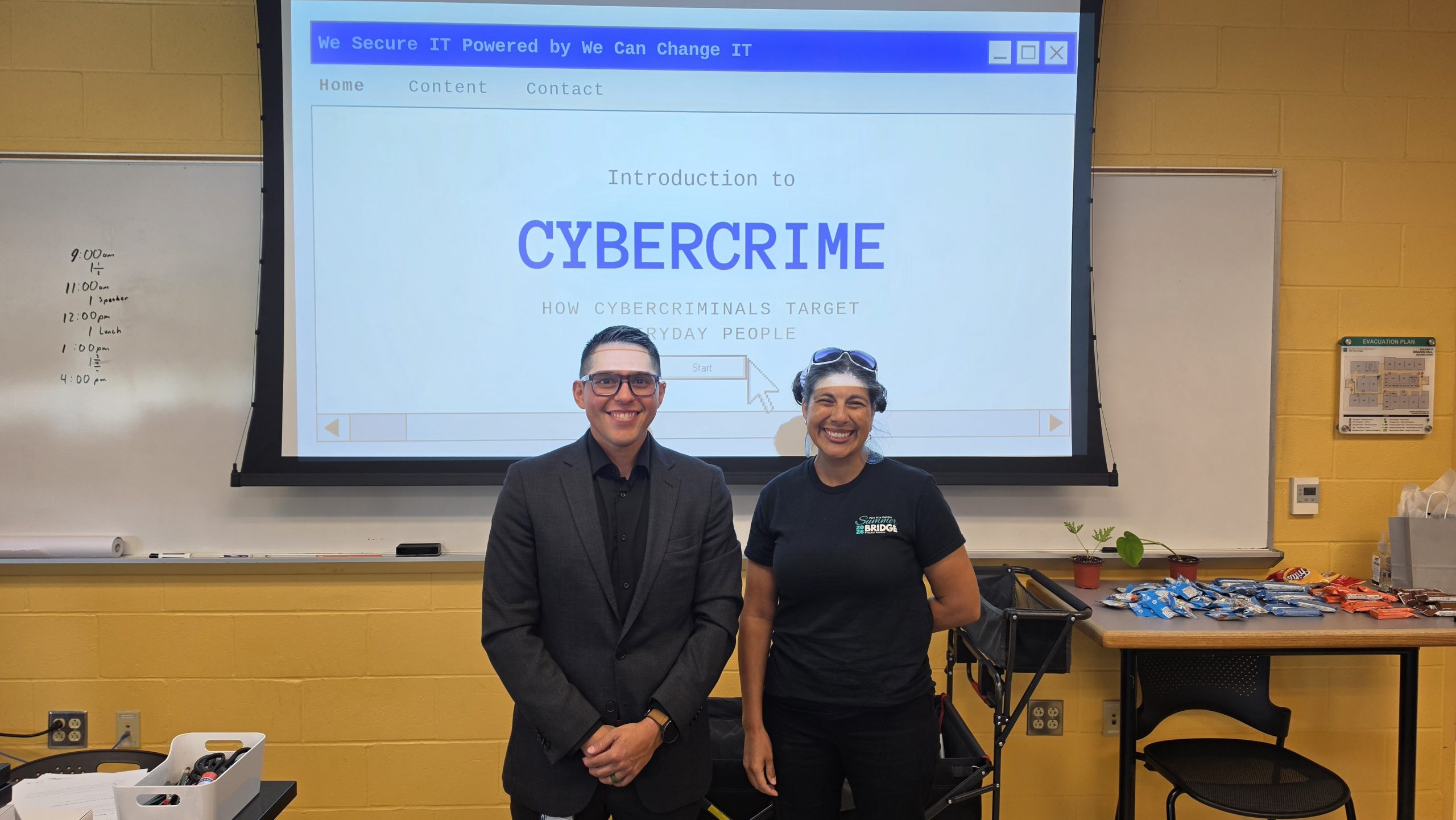
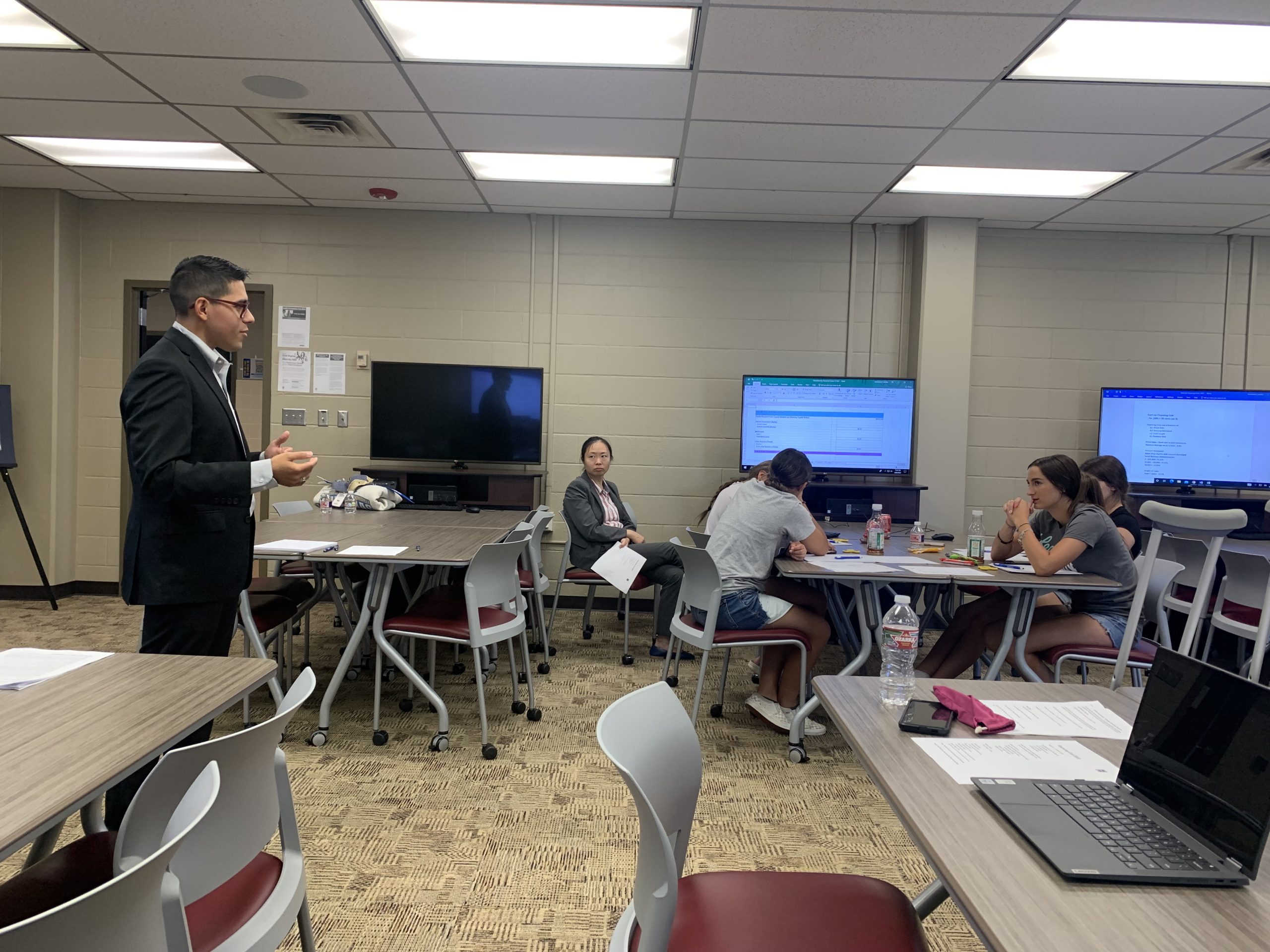
We Can Change IT delivering a cybersecurity presentation in a classroom and training environment.

Connect the technology to the lesson.

Technology becomes easier to teach when instructors understand how the lab supports the learning objective and what students are expected to observe, configure, investigate, or explain.

Lesson Context


Map security labs directly to academic standards, teaching schedules, and specific unit objectives to maintain lesson alignment.

Lab Objectives


Understand the exact technical milestones and critical security configurations students must complete inside their active sandbox.

Expected Outcomes


Verify student success instantly by knowing exactly which output screens, network diagrams, and key parameters to look for.

Discussion & Reflection


Access guided review prompts to prompt deep classroom discussion, connecting technical execution to real-world security workflows.

Help educators connect classroom concepts to industry roles.

Understanding the career path helps educators provide better guidance to students.


Industry Roles

Familiarize instructors with standard organizational frameworks and day-to-day security team operations.

Technical Skills

Map simulated activities straight to professional workflows, reinforcing why specific tools are taught.

Career Paths

Demystify entry-level expectations and help educators connect classroom tasks to the skills, communication, and documentation students may encounter in technical roles.

PROFESSIONAL DEVELOPMENT

Professional Development for Educators.

Our training is designed to meet the needs of educators at all levels, from those new to IT to experienced instructors looking to deepen their technical skills.

Hands-On Experience

Practical training in real-world environments.

Expert Instruction

Learn from industry professionals and experienced educators.

Flexible Delivery

On-site, virtual, or hybrid training options.

Featured Professional Development

Teachers’ IT Boot Camp

Build foundational confidence across IT and cybersecurity. A practical training experience that covers foundational concepts from areas such as hardware, operating systems, networking, security, servers, troubleshooting, cloud, identity, and classroom lab environments.

Explore Training Options

Networking & Cloud

Master core connection layers, routing architectures, DNS, and modern public/private cloud infrastructure models.

Systems & Identity

Demystify endpoint operating systems, identity parameters, domain servers, and active technical directory configurations.

Troubleshooting Practice

Build professional diagnostics muscle handling common device, account permission, and connectivity breakages.

Safe Lab Environments

Experience structured environments designed to test security mechanisms, configurations, and recovery steps safely.

What a training session can look like


Our practical, structured timeline focuses on boosting educator confidence through interactive learning and immediate classroom execution.

1

Introduction & Objectives

Understand what the technology does and why it matters to the industry and your students.

2

Instructor Demonstration

Walk through the live environment, concept architecture, or interface step-by-step with your cohort leader.

3

Hands-On Practice

Complete the core tasks inside a safe, sandbox lab environment with live instructor support.

4

Troubleshooting

Work through common misconfigurations, connectivity errors, and permissions blockers dynamically.

5

Classroom Application

Discuss how to introduce, support, and explain the activity to your students effectively.

*Actual schedules vary. We adapt the length and complexity of each block to match your academic schedule and classroom goals.

PRACTICAL TAKEAWAYS

Training should produce something useful after the session ends.


Greater Technical Confidence

Gain technical assurance through direct engagement with real security and virtualization interfaces, preparing you to instruct with authority.

Lab Familiarity

Navigate and control classroom environments effortlessly. Know exactly what students see, how virtual machines operate, and how setups deploy.

Troubleshooting Reference

Equip yourself with practical response guides for student connection errors, reset procedures, DNS issues, and authentication hurdles.

Teaching Context

Acquire ready-to-use framing guidelines, lesson outlines, and debrief prompts to connect complex technical tasks directly back to core objectives.

Career Connections

Obtain descriptive maps showing exactly how each lab relates to professional roles like cybersecurity analysis or systems administration.

Next-Step Resources

Access post-training curriculum pathways, professional development portals, and direct support avenues to keep your program scaling forward.

Hands-On Technical Learning

Learn inside the same environments students use.
Get practical experience with authentic software interfaces, actual system dashboards, and live network configurations. Build the confidence to guide and troubleshoot your classroom through real-world technology.

We Can Change IT educator training session with hands-on technology instruction in a classroom environment.

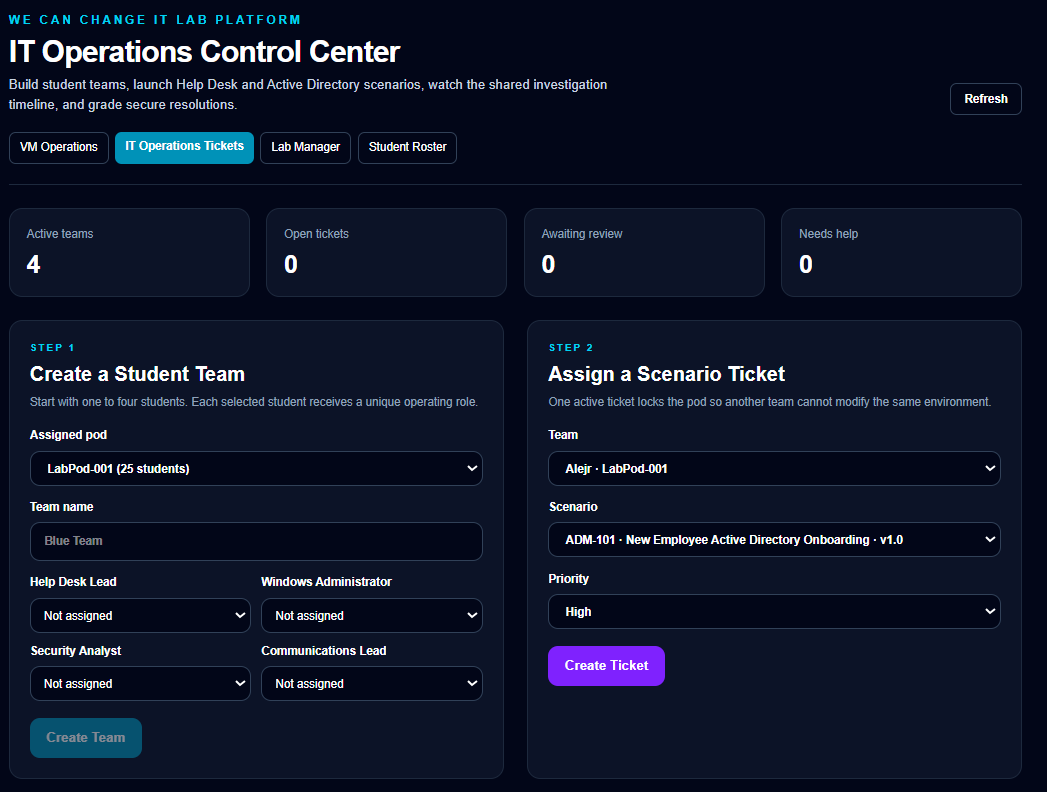
Teacher Dashboard

A comprehensive educator view to track individual progress, manage running virtual machines, and unlock student troubleshooting tasks.

We Can Change IT IT Operations Control Center for creating student teams and assigning Active Directory and help-desk scenario tickets.

Windows Lab Environments

Practice real-world server roles, permission group policies, and identity structures inside fully secure sandboxed Windows virtual environments.

Students visiting a data center during a We Can Change IT technology program.

Network Diagrams

Trace connection maps, diagnose routing path errors, and analyze simulated network configurations with clean, technical network graphics.

We Can Change IT presenting findings from a client penetration testing and security assessment engagement.

Security Monitoring

Interact directly with SIEM tools and network scanners to spot intrusion vectors, analyze error reports, and explore threat forensics.

We Can Change IT educator training session with hands-on technology instruction in a classroom environment.

Educator Workshops

See real peers working on real systems. Benefit from shared lesson contexts, practice labs, and supportive group reflections during program days.

We Can Change IT delivering a cybersecurity presentation in a classroom and training environment.

Instructor Demonstrations

Follow comprehensive live demonstrations on complex configuration resets, server recovery policies, and typical hardware troubleshooting issues.

Want your educators to feel more confident teaching cybersecurity and IT?


Tell us about your program, curriculum, technology, and where your instructors would benefit from more hands-on experience.